
How can create a User in Oracle Apps R12 or How Can Assign a Responsibility to a User


How can create a User in Oracle Apps R12 
or 
How Can Assign a Responsibility to a User 


1) Go to "System Administrator" > Security  > User > Define 
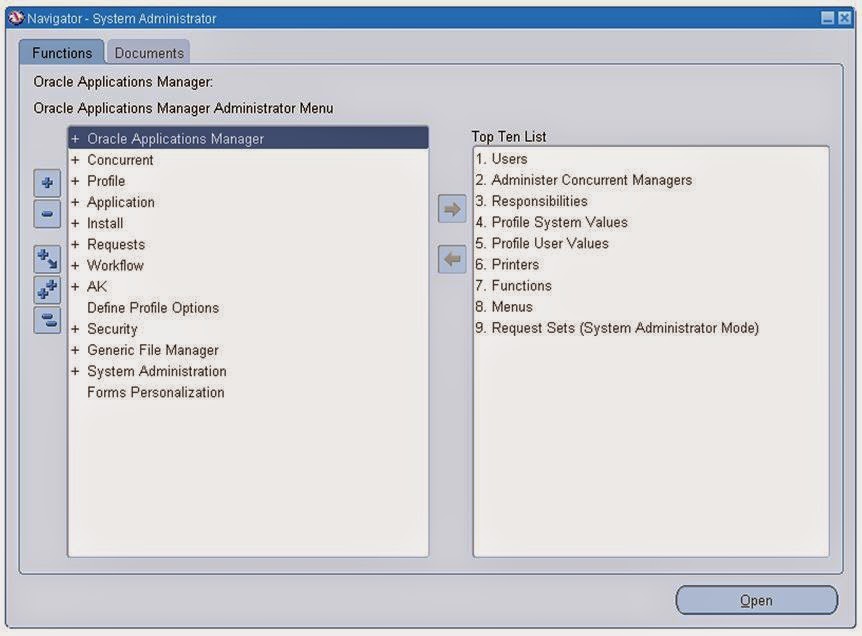


2) Username -: As per User Number 

    Password - : Fill the password and press Enter then type again same password .

    Responsibility-: Select Responsibility from LOV whatever you want to Assign to user . 


Note-: If you will Assign System Administrator Responsibility to the User then a Indirect Responsibility Application Diagnostic will assign automatically to user .


3) Now Save the form .

Now your User Created .

4) Go to User Login form of Oracle Apps ERP


5) Login with your User Credential.


6) Change Your Current Password 

Note -: It will ask to change the password at the time of first login .


Save the New Password 


Select Responsibility


Click on Any form and check  

Now Your User are ready to do our Responsibility . 


For More Information Visit on www.OracleAppsGuide.com Or Subscribe your email-id on OracleAppsGuide

Comments

  1. It's really helpful for me. Thanks Kuldeep Sir.

    ReplyDelete
  2. This comment has been removed by a blog administrator.

    ReplyDelete
  3. You have beaten yourself this time, and I appreciate you and hopping for some more informative posts in future. Thank you for sharing great information to us. veja como baixar Appvn apk atualizado 2020

    ReplyDelete
    Replies
    1. Thanks Muhammad Hassan, I shall share my all knowledge.

      Delete
  4. Cool stuff you have got and you keep update all of us. como baixar HappyMod download 2020

    ReplyDelete
  5. It is fairly the inventive methodology of these portable applications that has overwhelmed the innovative world. Brighter Guide homepage

    ReplyDelete
  6. I know this is one of the most meaningful information for me. And I'm animated reading your article. But should remark on some general things, the website style is perfect; the articles are great. Thanks for the ton of tangible and attainable help. dotcom secrets

    ReplyDelete
  7. Di solito ci sono alcuni siti di tesi che fanno uso del sito web ogni volta che si sviluppa in un semplice inglese riportati nel sito. come bloccare le chiamate

    ReplyDelete
  8. Thanks for your Valuable words. It means a lot to share the knowledge with readers.

    ReplyDelete
  9. WhatsApp Group Links
    I have read a few of the articles on your website now, and I really like your style.
    WhatsApp Group Links

    ReplyDelete

Post a Comment

Popular posts from this blog

Error: - APP-PER-50022: Oracle Human Resource Could Not Retrieve a Value For The User Type Profile Option. Please ensure it is set property for your responsibility

Error: - APP-PER-50022: Oracle Human Resource Could Not Retrieve a Value For The User Type Profile Option. Please ensure it is set the property for your responsibility. Solution-:      (1)  Go to System administrator > Profile > System       (2) Now Search “ HR: User Type ” Profile option at Responsibility level with Respective Responsibility. And Click On FIND Button. Now Select HR: User Type Value “HR with Payroll User” (you can choose another option as well accordingly). And SAVE. Now check your responsibility, error removed. Go ahead with your next step and enjoy Oracle Apps. For More Information Visit on www.OracleAppsGuide.com Or Subscribe your email-id on OracleAppsGuide.

Script to insert on hand quantity in to MTL_TRANSACTIONS_INTERFACE

Script to insert on hand  quantity   into MTL_TRANSACTIONS_INTERFACE To insert on hand  quantity    into  MTL_TRANSACTIONS_INTERFACE INSERT INTO MTL_TRANSACTIONS_INTERFACE                             (     TRANSACTION_INTERFACE_ID,                    SOURCE_CODE,                             SOURCE_LINE_ID,                             SOURCE_HEADER_ID,                             PROCESS_FLAG,                             VALIDATION_REQUIRED,                             TRANSACTI...

Error "You have exceeded the transaction quantity". Precision Restriction for Quantity Field Up To 6 Decimal Places Performing Lot Receipts (Doc ID 464983.1)

Error "You have exceeded the transaction quantity".  Applies to:  Information in this document applies to any platform. FORM:RCVRCERC.FMB - Enter Receipts GUI FORM:RCVTXERT.FMB - Enter Receiving Transactions GUI FORM:RCVTXERE.FMB - Enter Returns GUI FORM:RCVTXECO.FMB - Enter Corrections GUI "You have exceeded the transaction quantity" Symptoms: "You have exceeded the transaction quantity" Note: Internal error message may indicate this message: INV_QUANTITY_TOO_BIG Steps: Go to Receiving Screen Enter the qty like 7200.00000489 (6 digits restriction makes it 7200.000005) Go to Lot/Serial form Enter lot number and qty as 7200.00001 (which was rounded to 5 digits) The message "you have exceeded the transaction quantity " Cause Can Be-: a) Restriction of precision support up to 6 decimal places was added for the quantity field  b) Comparing the transaction qty entered in receiving forms and the lot quantity entered in lot-entry form after rounding to...